 Lineskip
YouTube transcripts for Chrome
Read it. Skip to it.
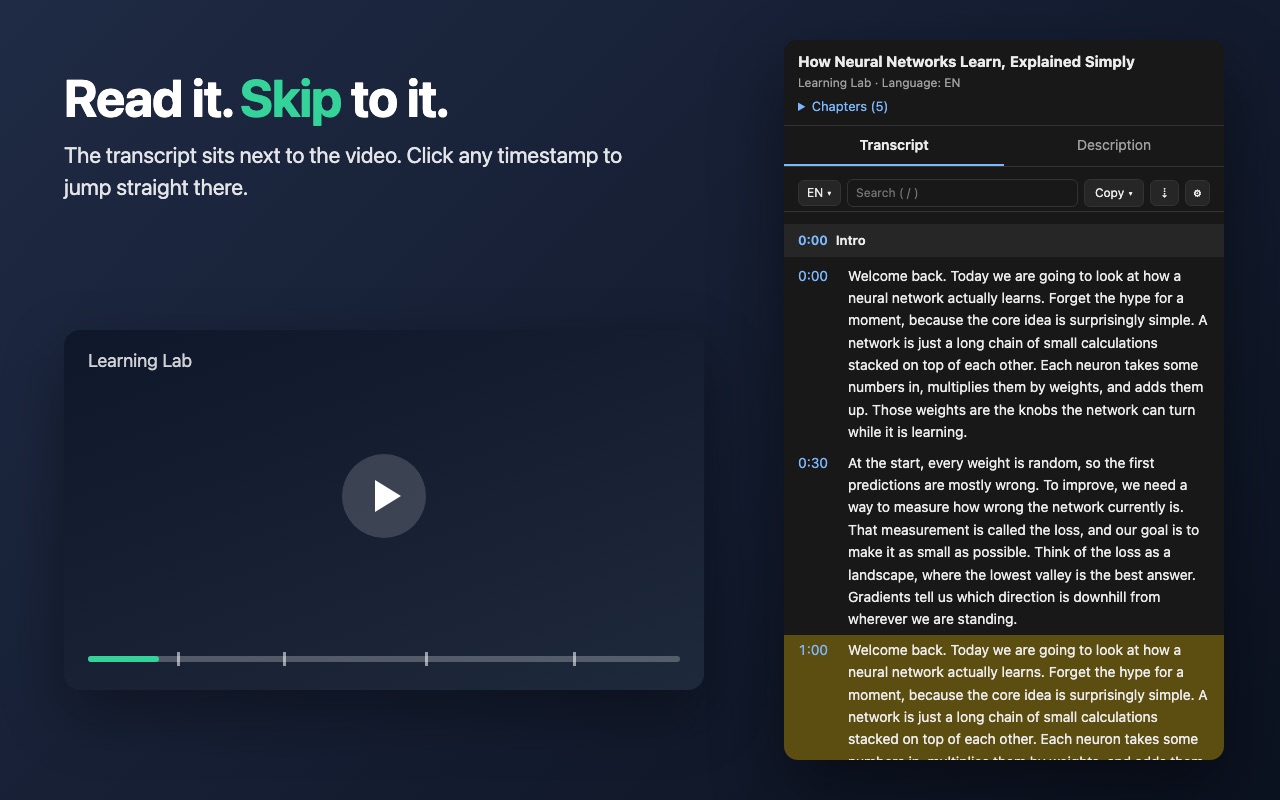
Lineskip puts a video's transcript next to the video, in the language actually spoken. Skim it, search it, and click any timestamp to jump straight to that moment.
How it works
Open a video
Go to any YouTube video that has captions.
Click the icon
The Side Panel opens next to the video and loads the transcript.
Skip to what matters
Click a timestamp and the video jumps there. Search to find a phrase.
Made for skimming
Everything you need to get through a long video without watching all of it.
Click to skip
Timestamps in the transcript, the description and the chapter outline all jump the video to that second.
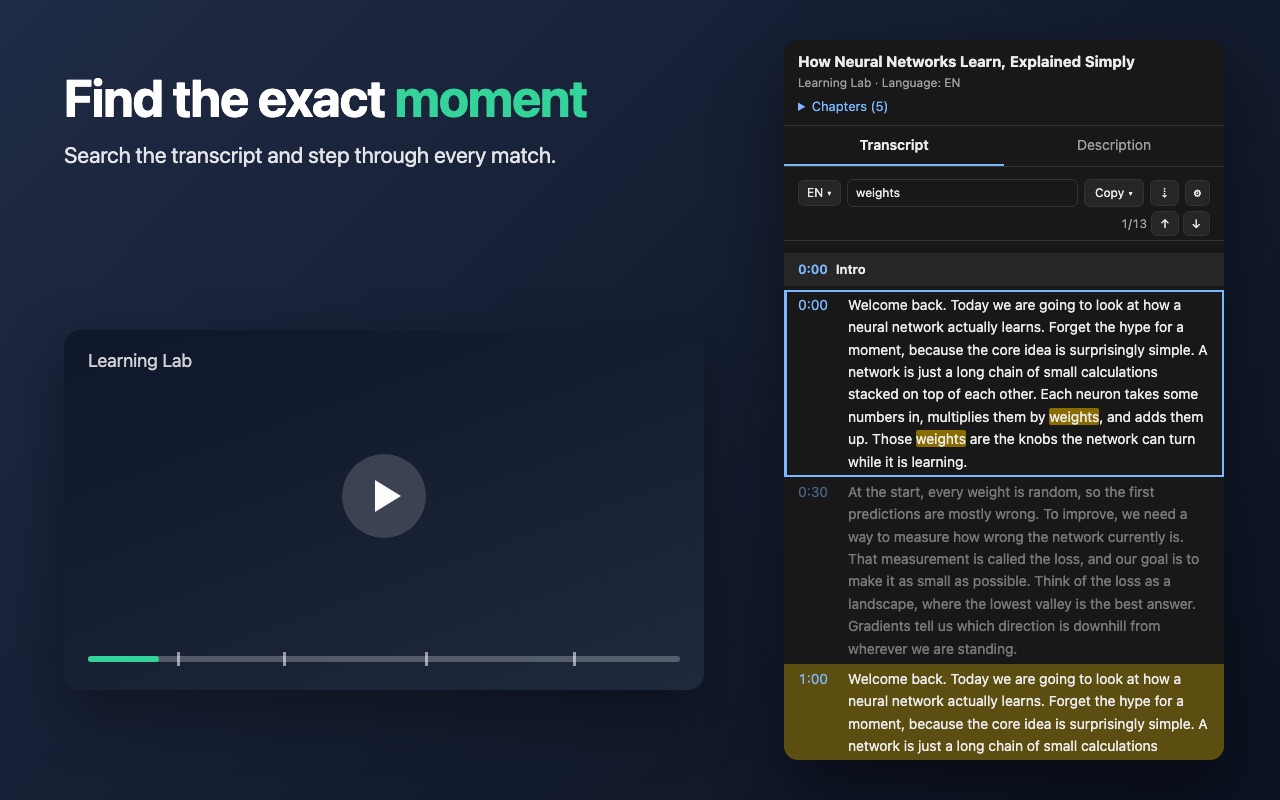
Search the transcript
Press /, type a word, and step through every match.
The language actually spoken
Picks the original language, even when a channel adds an auto-dubbed track or an English caption.
Switch language
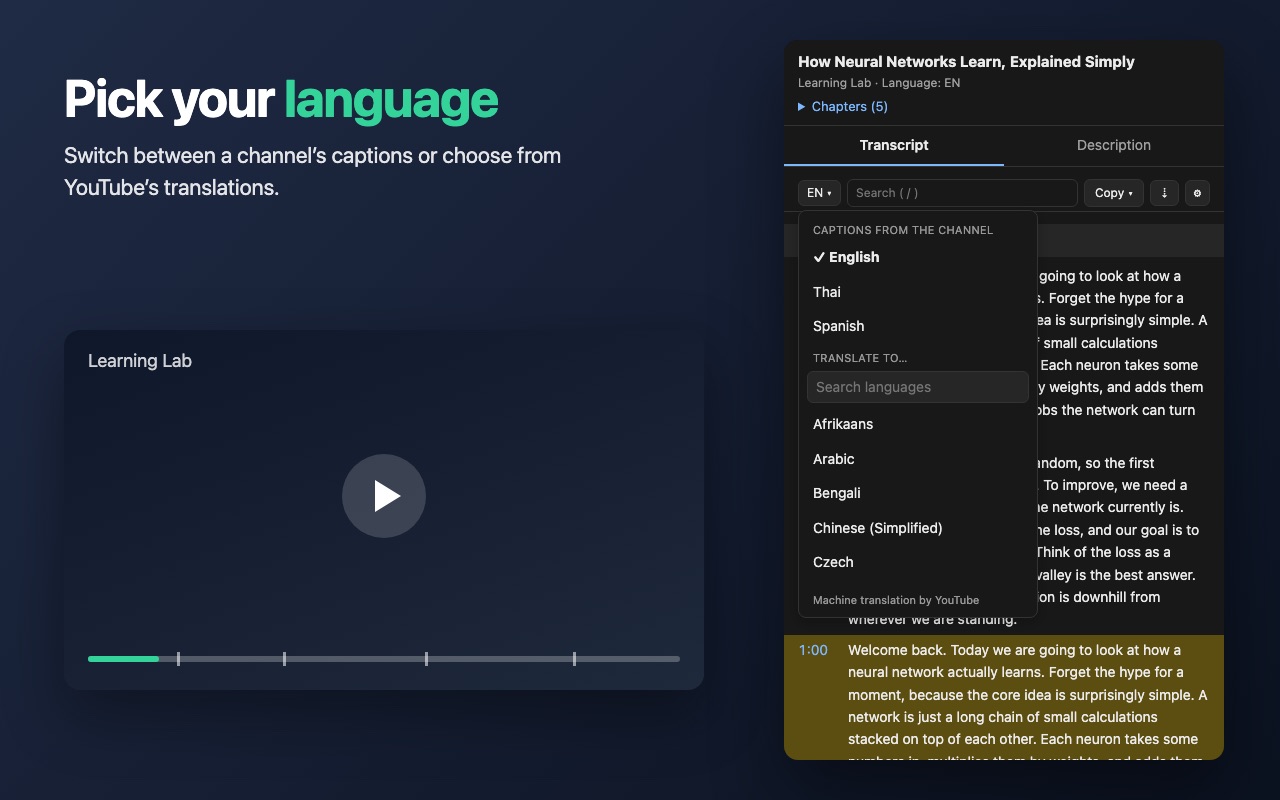
Choose another caption the channel provides, or one of YouTube's machine translations from a searchable list.
Follow along
Highlights the part being played and can scroll with the video.
Sections you control
Group the transcript every 10 seconds to 2 minutes, or let it split at natural pauses. Chapters become headings.
Pick your language
Switch between the captions a channel provides, or translate into another language when you need to.
- Channel captions listed first
- Search 150+ translation languages
- Your recent choices stay at the top
Find the exact moment
Search the transcript, see every match highlighted, and jump between them with the arrow buttons or Enter.
- Copy the whole transcript, with or without timestamps
- Click any section to copy just that part
Nothing leaves your browser
Lineskip has no accounts, no ads, no analytics and no servers of its own. The transcript is read and shown on your computer, and it is not sent to us or anyone else.
Questions
Does it work on every video?
It works on YouTube watch pages for videos that have captions (written by the channel or generated automatically). Videos without captions show a message instead of a transcript. Live streams work after they end. Shorts, embedded players and YouTube Music are not supported yet.
Does it transcribe audio itself?
No. Lineskip reads the captions YouTube already has for the video. It does not listen to or process audio.
Which language will I see?
The language actually spoken in the video. If the channel also offers other captions, or YouTube can translate them, you can switch from the language menu.
Is it free?
Yes, it is free to use.
What data does it collect?
None. See the privacy policy for exactly what it reads and stores on your device.
Something stopped working. What do I do?
YouTube changes its pages from time to time. Open the settings menu and choose “Report a problem” (the report has no transcript text), or email contact@nextaibusiness.com.
Is it made by YouTube or Google?
No. Lineskip is an independent extension and is not affiliated with YouTube or Google.